
Planning a solar and battery installation involves more than choosing the right equipment. Your roof, electrical system, available installation space, and household energy use all play a role in determining how your system should be designed.
For homeowners in South Central Texas, a little preparation before your site evaluation and installation can make the process easier and help identify potential issues early.
Check Your Roof Before Installing Solar Panels
Your roof is one of the first areas to consider when preparing for solar installation. Its age, condition, pitch, shading, and available surface area can all affect where solar panels can be placed and how the system is designed.
If your roof may need major repairs or replacement soon, it is worth addressing that before solar panels are installed. Otherwise, the panels may eventually need to be removed and reinstalled so roofing work can be completed.
GVEC evaluates these factors as part of the solar planning process. If you want to get a head start, review this guide to roof suitability for solar panels to learn more about the conditions that can affect installation.
Plan for Solar Battery Storage
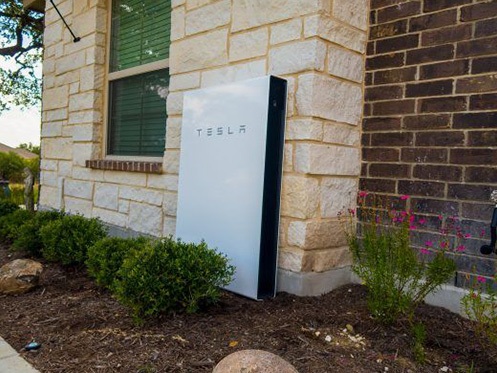
If you’re considering battery storage with your solar system, you’ll also need a suitable place for the battery equipment. The best location depends on factors such as the equipment being installed, available space, manufacturer requirements, and the overall system design.
You do not need to choose the exact location yourself. Instead, make note of areas that may be available and discuss them with the installation team during your site evaluation. GVEC offers battery storage options, including Tesla Powerwall and Enphase IQ systems.
What Permits and Approvals Are Needed for Solar Installation?
Solar permitting and approval requirements can vary by location, utility, and project. Depending on the installation, the process may include local permits, inspections, utility approvals, and interconnection requirements.
GVEC’s solar installation process includes assistance with the necessary permitting and approval steps, helping homeowners understand what needs to happen before their system can begin operating.
How Should You Prepare for Solar Installation Day?
Once your installation is scheduled, a few simple steps can help make the property easier for the crew to access and work around:
- Move vehicles away from likely work and equipment-access areas.
- Clear pathways to gates, garages, electrical equipment, and utility areas.
- Secure pets before the installation crew arrives.
- Move fragile outdoor furniture, decorations, or other items away from the work area.
- Follow any property-specific preparation instructions provided by your installer.
You may receive additional directions based on your home, system design, and installation location.
What Should You Discuss During the Solar Site Evaluation?
Your site evaluation is an important opportunity to discuss how your household uses electricity and what you want your solar and battery system to accomplish.
Be prepared to talk about your typical energy use, whether backup power is a priority, and any future changes that may increase electricity demand. These details can help the installer evaluate the system size and equipment options that make sense for your home.
If battery storage is part of the project, ask how solar production and battery capacity will work together based on your household’s energy needs and backup-power goals.
Prepare Now for a Smoother Solar and Battery Installation
You do not need to answer every roofing, electrical, or permitting question before starting a solar project. The goal is simply to identify obvious concerns, provide accurate information about your energy use, and make key areas of your property accessible for evaluation and installation.
GVEC provides solar and battery solutions for homeowners throughout South Central Texas. If solar is part of your plans, schedule a consultation with GVEC Solar & Battery Services to start evaluating your home, energy needs, and installation options.